As an experienced virtual production professional, you can avoid the following common issues through advance preparation and optimized workflows:
System and Hardware Issues
Issue: Hardware configuration mismatch causing lag or crashes
- How to Avoid:
- Check if hardware meets Aximmetry's recommended configuration (especially GPU performance).
- Regularly update graphics drivers.
- Avoid loading overly complex scenes on low-performance hardware.
Issue: Insufficient disk space
- How to Avoid:
- Allocate enough hard drive space for assets and project files.
- Regularly clean up unnecessary cache files and temporary assets.
Project File Management Issues
Issue: Missing assets or path errors
- How to Avoid:
- Create a unified project folder before starting a project, ensuring all assets are stored in the same directory.
- Avoid referencing assets from external drives in the project.
Issue: Corrupted project files
- How to Avoid:
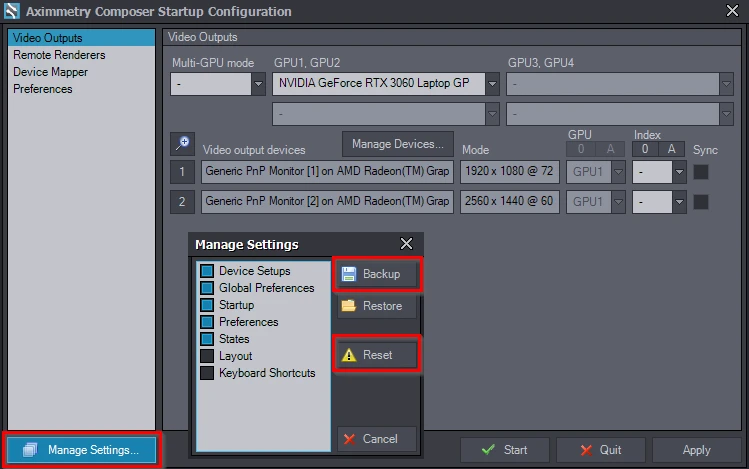
- Enable auto-backup functionality.
- Regularly manually back up project files and save multiple versions.
Operation and Settings Issues
Issue: Complex scenes causing rendering delays or crashes
- How to Avoid:
- Simplify models and textures in the scene, and optimize lighting settings.
- Use proxy models (low-poly) for testing, then replace with high-precision models when finished.
Issue: Messy node connections
- How to Avoid:
- Use clear naming conventions for nodes.
- Organize nodes by module grouping to ensure logical relationships are easy to understand.
Issue: Output quality not meeting requirements
- How to Avoid:
- Check if resolution, frame rate, and encoding format meet project requirements before output settings.
- Preview the output effect to avoid rework later.
Rendering and Output Issues
Issue: Output file size too large
- How to Avoid:
- Use efficient encoders (e.g., H.264).
- Adjust bitrate while ensuring image quality.
Issue: Color deviation
- How to Avoid:
- Calibrate the monitor to ensure accurate colors.
- Use the correct color space settings and verify color consistency during export.
Software and Plugin Issues
Issue: Software version mismatch
- How to Avoid:
- Regularly check if Aximmetry and related plugins are compatible versions.
- Avoid using beta versions or versions that are not fully validated.
Issue: Third-party plugin conflicts
- How to Avoid:
- Back up the project before loading new plugins.
- Test plugin functionality step by step, avoiding loading too many plugins at once.
Network and Collaboration Issues
Issue: Unstable NDI signal
- How to Avoid:
- Use a stable network environment, prioritizing wired connections.
- Check if the NDI source device and network bandwidth are sufficient.
Issue: Multi-user collaboration file conflicts
- How to Avoid:
- Establish clear file naming rules.
- Use version control tools (e.g., Git or cloud storage) to manage project files.
Learning and Technical Support Issues
Issue: Repeated trial and error due to unfamiliarity with operations
- How to Avoid:
- Study official tutorials and video materials.
- Participate in community discussions and learn from experienced users.
Issue: Insufficient information recording when encountering errors
- How to Avoid:
- When issues arise, record error prompts, operation steps, and log files.
- Familiarize yourself with how to submit issues to technical support in advance.
For more issues, feel free to contact us


 简体中文
简体中文  English